

UNPRI · MIKROTIK ACADEMY

Build Networks.Understand Infrastructure.

MikroTik Academy at Universitas Prima Indonesia connects networking concepts, RouterOS configuration, laboratory practice, and troubleshooting in one structured learning experience.

RouterOS Learning Lab Academy Ready
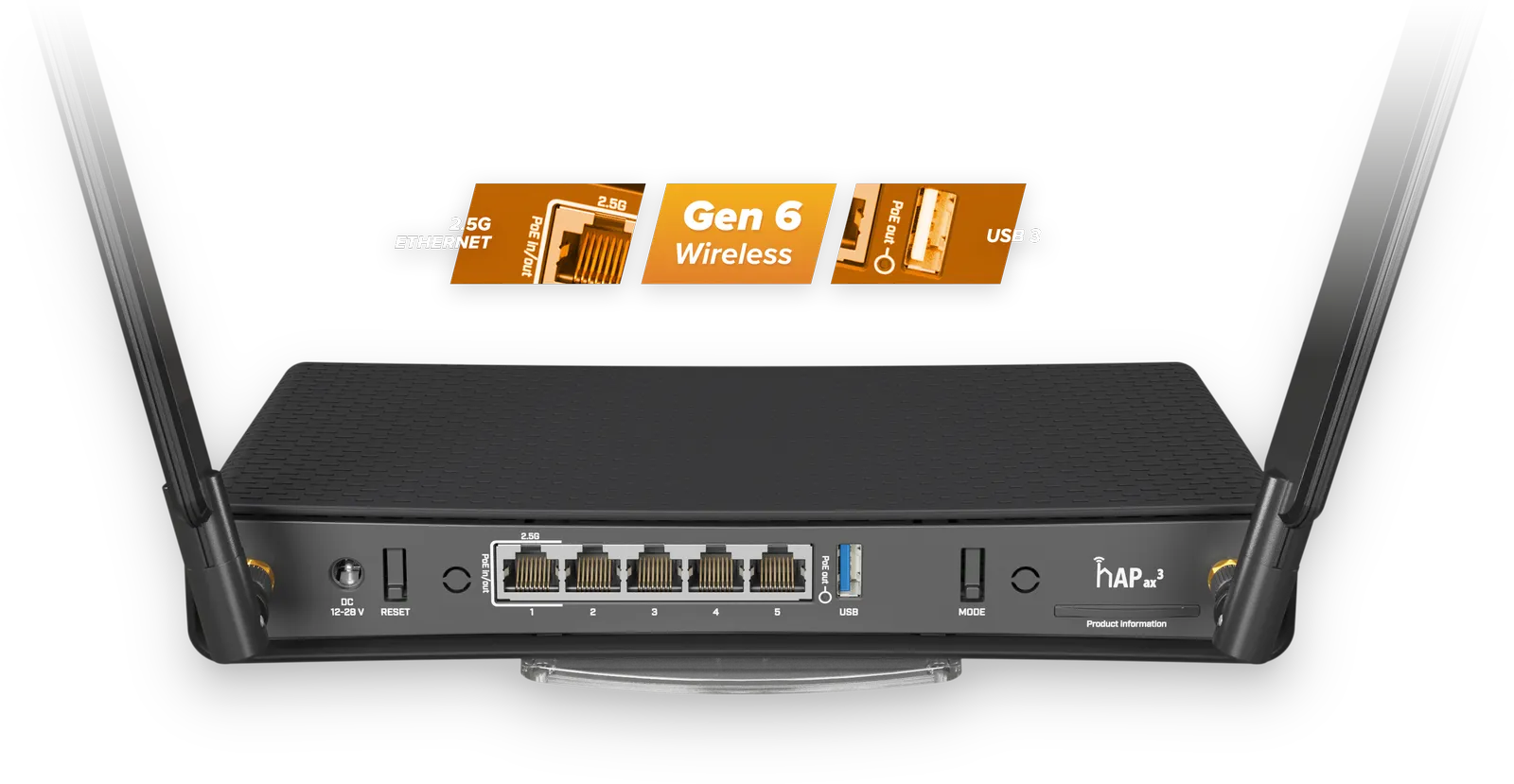
MikroTik hAP ax3
2 InstructorsDirect learning guidance
MTCNAFundamental networking learning path
Hands-on LabConfiguration and troubleshooting
UNPRI AcademyCompetency-based learning
MikroTik in 60 seconds

More than just a router.

MikroTik combines networking hardware with RouterOS, a network operating system supporting routing, firewalls, wireless networking, VPN, bandwidth management, monitoring, and other network administration functions.

Learn how networks actually work.

Networking education is more than memorizing configuration commands. Students need to understand how devices receive IP addresses, how routers select communication paths, and how firewall and bandwidth policies affect the network as a whole.

MikroTik provides an effective environment for connecting these concepts with hands-on experience through RouterOS and RouterBOARD devices.
01 RouterOS One system for routing, firewalls, wireless, VPN, monitoring, and network management.
02 RouterBOARD MikroTik networking hardware that allows students to work directly with physical devices.
03 WinBox & WebFig Configuration interfaces that help students understand RouterOS structure and services.
04 Troubleshooting Students learn to analyze connectivity, routing, interfaces, and network policies.
Academy at UNPRI

From theory to real configuration.

UNPRI organizes MikroTik Academy as a structured learning environment. Students learn networking concepts, configure devices, test connectivity, identify problems, and resolve them with instructor guidance.

01 Concepts Understand IP addressing, subnetting, topology, and data flow.
02 Configuration Apply RouterOS, DHCP, bridging, routing, wireless, and firewall configuration.
03 Validation Test connectivity and systematically inspect network conditions.
04 Troubleshooting Identify the source of problems and determine solutions based on configuration.
MikroTik hAP ax3
> /ip address print > /ip route print > /interface bridge print > /ip firewall filter print > /ping 8.8.8.8
Learning map

Competencies students develop.

The content follows foundations relevant to the MTCNA outline, emphasizing conceptual understanding and the ability to configure networks independently.

01
Network Fundamentals Topology, OSI/TCP-IP, addressing, and subnetting.
02
RouterOS Basics Device access, interfaces, identity, services, and basic configuration.
03
Bridging Bridges, basic switching, and Layer 2 communication.
04
Routing Static routes, gateways, route selection, and inter-network connectivity.
05
Wireless Wireless networking fundamentals and access point configuration.
06
Firewall & NAT Filter rules, NAT, basic security, and traffic control.
07
Bandwidth Queues and fundamental network usage management.
08
Troubleshooting Ping, traceroute, logs, interfaces, routes, and configuration analysis.
Instructors

Learn with academic practitioners.

UNPRI MikroTik Academy is supported by lecturers with MikroTik networking competencies and certification records.

Abdi Dharma
MikroTik Academy Instructor

Dr. Abdi Dharma, S.Kom., M.Kom.

Associate Professor · Universitas Prima Indonesia

Guides students in building a systematic understanding of networks, from fundamental concepts to configuration and problem analysis.

MCF MTCNA MTCRE
View UNPRI profile ↗
Rico Wijaya Dewantoro
MikroTik Academy Instructor

Rico Wijaya Dewantoro, S.Kom., M.Kom.

Assistant Professor · Universitas Prima Indonesia

Guides RouterOS practice and laboratory-based learning so students can connect networking theory with real implementation.

MCF MTCNA MTCRE
View UNPRI profile ↗
Learning Path

Learn. Practice. Demonstrate competency.

The learning structure gives students a clear path from foundational understanding to competency evaluation readiness.

01

Foundation

Understand networking principles and the role of components in a network.

02

Hands-on Practice

Build configurations and troubleshoot networks using RouterOS.

03

Certification Readiness

Develop the competency foundation toward MikroTik Certified Network Associate (MTCNA).

MikroTik Academy · Universitas Prima Indonesia

Build a strong networking foundation while at university.

Explore MikroTik technologies, practice RouterOS, and develop networking competencies in the learning environment of Universitas Prima Indonesia.